
-
-
Insert key and turn to 2nd position (ignition on)
-
Verify that ignition is on by confirming that warning lights are illuminated on instrument cluster
-
-
-
Turn ignition off
-
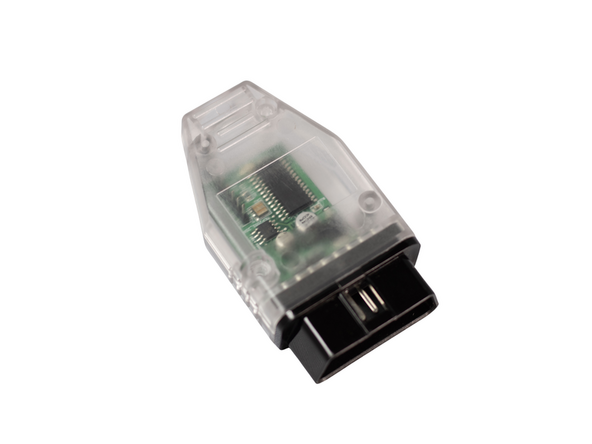
Plug OBD programmer into OBD port
-
Steps 2 and 3 should be completed in under 10 seconds. If too much time elapses, the programming may not work
-
-
-
Press push to start button 2X to turn ignition on
-
LED inside OBD programmer case
-
After programming is complete, LED on programmer will turn off
-
Typically programming only takes a few seconds, but can take up to 5 minutes in some cases
-
-
-
Turn ignition off and remove OBD programmer
-
DO NOT START ENGINE OR DRIVE VEHICLE WITH OBD PROGRAMMER PLUGGED IN
-
-
-
Start vehicle
-
Shift into reverse
-
Radio screen should switch to either a) a black screen or b) camera image
-
If camera is not already plugged into backup camera input behind radio, you should see a black screen. If you have a camera connected and camera has power, you should see the camera image.
-
Attention: The OBD programmer should be removed after use. Do not start engine or drive vehicle with OBD programmer installed.
For support, contact Mid City Engineering:
www.midcityengineering.com/support
312-421-1114
Attention: The OBD programmer should be removed after use. Do not start engine or drive vehicle with OBD programmer installed.
For support, contact Mid City Engineering:
www.midcityengineering.com/support
312-421-1114
