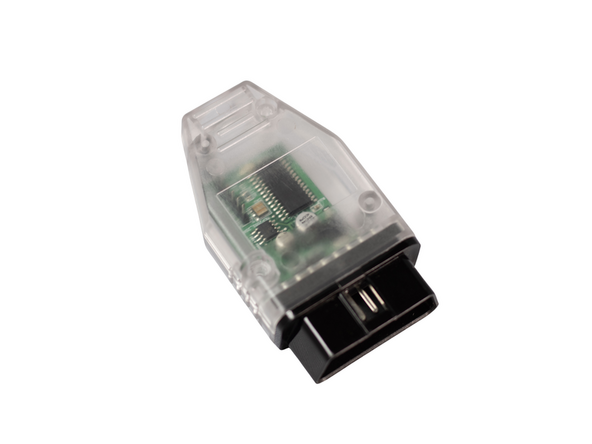
Introduction
NOTE: This programmer is for use with SmartIdle® stand-alone high idle systems for Diesel Sprinters 2019-2024 (907SMRTV4, 907SMRTPSM). High idle will not work without also installing SmartIdle® control module.
Note: To program back to OEM spec have the turn signal stalk up (right turn signal position) during programming.
If you wish to use this programmer to program back to OEM spec (remove feature), push the the turn signal stalk up (right turn signal) and leave in that position during the entire programming procedure.
Tools
No tools specified.
Parts
Video Overview
-
-
Press push to start button 2X (ignition on)
-
Verify that ignition is on by confirming that warning lights are illuminated on instrument cluster
-
-
-
Press push to start button 1X to turn ignition off
-
Plug OBD programmer into OBD port
-
Steps 2 and 3 should be completed in under 10 seconds. If too much time elapses, the programming may not work
-
-
-
Press push to start button 2X to turn ignition on
-
After programming is complete, LED on programmer will turn off
-
Typically programming only takes a few seconds, but can take up to 5 minutes in some cases
-
If LED is off and you have not seen it turn on, it likely has already programmer (programming can happen within seconds of turning ignition on)
-
Steps 2 and 3 should be completed in under 10 seconds. If too much time elapses, the programming may not work. If LED does not turn off in 5 minutes after being plugged in, start over and try to complete steps 2 and 3 faster
-
-
-
Turn ignition off and remove OBD programmer
-
DO NOT START ENGINE OR DRIVE VEHICLE WITH OBD PROGRAMMER PLUGGED IN
-
Attention: The OBD programmer should be removed after use. Do not start engine or drive vehicle with OBD programmer installed.
For support, contact Mid City Engineering:
www.midcityengineering.com/support
312-421-1114
Attention: The OBD programmer should be removed after use. Do not start engine or drive vehicle with OBD programmer installed.
For support, contact Mid City Engineering:
www.midcityengineering.com/support
312-421-1114
