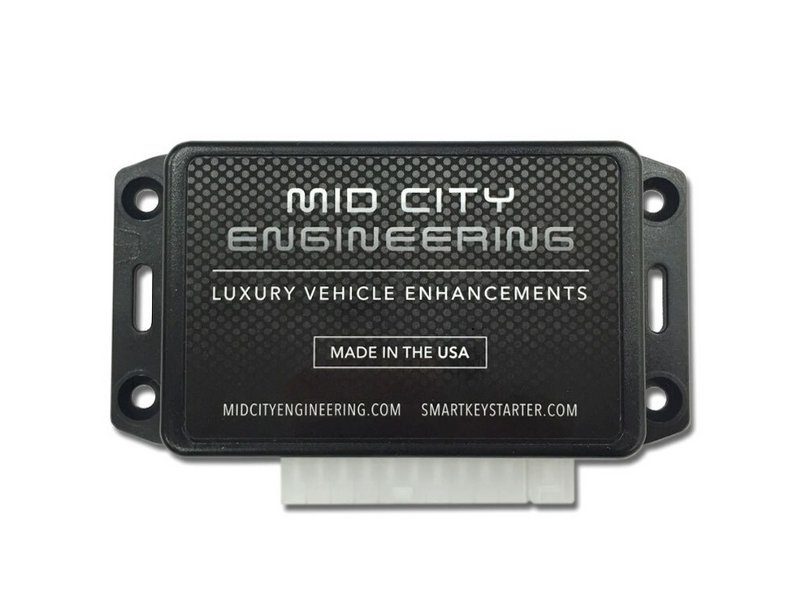

If a SmartKey Starter® remote start fails to execute remote/auto start commands, it will produce in error code by flashing the parking lights a number of times. # of flashes error code
‘This document shows common troubleshooting steps for each code’
First, determine which SmartKey Starter version is installed:
- SKSNG: Part #s SKSNG204D3, SKSNG
- SKS FT (fault tolerant). Part #s: SKS164C, SKS164D, SKS211C, SKS211D, SKS906C, SKS906D, SKS220C, SKS220D
- Note: the SKS FT platform has been phased out as of February 2024. FT units with a build date after 02/2024 will be on the NG-FT platform.
Ways to recognize SKS FT modules:
- Metal case module with part #s listed above.
- Build/install date for (install before 02/2024, likely SKS FT platform)
- When valet switch is in the remote start off position (blank side pressed in) there will be no error codes when a remote start is attempted.
Common codes:
9 Flashes D4
Part #s: SKSNG166D4, SKSNG204D4, SKSNG166D4, SKSNG205D4, SKSNG222D4
Vehicles:
All push to start. For models non-PTS of models below, go to9 Flashes D4T
- 2015, 2016, 2017, 2018 C Class Sedan
- 2016, 2017, 2017 C Class coupe
- 2015, 2016, 2017, 2018, 2019 CLA
- 2014, 2015, 2016, 2017, 2018, 2019 CLS
- 2014, 2015, 2016 E Class Sedan
- 2014, 2015, 2016, 2017 E Class Coupe
- 2016, 2017, 2018, 2019 GLE
- 2014, 2015, 2016 GL
- 2017, 2018, 2019 GLS
- 2015, 2016, 2017, 2018 GLC
- 2014, 2015 ML
- 2014, 2015, 2016, 2017 S Class
- 2016, 2017, 2018, 2019 SLC
- 2013, 2014, 2015, 2016, 2017, 2018, 2019, 2020 SL
9 Flashes means either:
a) the vehicle is not seeing the push button or push button press
b) the vehicle is not seeing the key
1. Make sure that push to start button is inserted in the ignition. If PTS button is not in the ignition, vehicle will not see button push and remote start will fail. Insert button and check. If button is inserted, move to step 2.
2. Sit in driver seat with operational key in-hand (key for driving vehicle) and attempt a remote start. If remote start ‘'does'' work with key in vehicle, then there is an issue with the key in the box or key box/battery emulator connection. If If remote start ’'does not'' work with key in vehicle, then move to step 3.
Check key box connection:
- If this is a new installation, make sure that key in box is installed per instructions and battery emulator is facing the correct way. Check text on battery emulator says “< front of key” and make sure arrow is facing tip of key.
- Make sure that emulator is securely in key battery cavity and making good connection with positive (+) and negative (-) - contacts; and emulator is facing the correct way (arrow with text saying “< Front of key" pointing straight at the tip of the key.
- Check solder points on emulator, make sure wires are not loose or not making connection to the emulator. Test continuity between key box leads and emulator.
- Check key box connection at SmartKey Starter® module. Be sure that it is plugged in to the port labeled ‘KEY’ and that it is seated properly. Unplug and plug back in.
- Remove key from key box and swap it with operational key- be sure that both keys operate with the push to start button
If this is not a new installation and system has been installed and working, it is less likely a connection issue and more likely an issue with the key. The key box must be accessed, key removed, and checked for operation with the push to start button. If the system was professionally installed, it is recommended to contact installing shop or authorized dealer from our dealer locater.Click here for dealer locater.
- Remove key from key box and swap it with operational key- be sure that both keys operate with the push to start button
- If key is removed from box and not working, remove push to button, insert key. If it starts, let run for 2 minutes, shut down, remove key, re-insert push to start button and try PTS button again. Occasionally the keys can lose “sync” with the vehicle and inserting the key and starting manually can re-sync key.
- If a new key was just programmed for the vehicle, it is possible that the key in the box has been removed from vehicle programming. New keys must be programmed as additional keys and not replacement keys for the key in the box.
- If key in box is not working with the vehicle (operating with push to start button), then the key must either be replaced, fixed, or re-programmed.
- Make sure that emulator is securely in key battery cavity and making good connection with positive (+) and negative (-) - contacts; and emulator is facing the correct way (arrow with text saying “< Front of key" pointing straight at the tip of the key.
- Check solder points on emulator, make sure wires are not loose or not making connection to the emulator. Test continuity between key box leads and emulator. (Note for techs: get picture of key box leads plugged in and battery emulator)
- Check key box connection at SmartKey Starter® module. Be sure that it is plugged in to the port labeled ‘KEY’ and that it is seated properly. Unplug and plug back in.